Product Issues
Use this page to record a product that went wrong — moldy, defective, expired or damaged — and what you did for the customer, then follow it up in the admin.
Quick steps
To report an issue at the register:
- Tap the gear icon in the top bar. Under Quick Actions, tap Report Issue / Process Return, then Report Product Issue.
- Search for the Product, and pick the Issue Type (Moldy, Defective, Expired, Damaged or Other).
- Type a Description and pick the Action Taken (Refund, Exchange, No Action or Courtesy Replacement). For a refund, add the Refund Method and Refund Amount.
- Tap Submit Report.
To follow up in the admin:
- Click Reports, then the Product Issues card.
- Click an issue's View, add notes and click Save Notes.
- Click Mark as Resolved when it's dealt with.
Common questions
Does reporting an issue take the item off stock? Yes, one unit, when a product is picked and the action is Refund or Courtesy Replacement. It's recorded as spoilage or damage. Exchange and No Action don't change stock.
I don't see Report Issue / Process Return in the gear menu. Your role needs the Process Returns or Manage Settings permission. Ask your admin.
Does reporting a refund here pay the customer? No. It records the refund. Hand over the money, or use Process Return to refund a sale through the register.
More detail: why track issues, and the full report form
Product issues let you keep a record of products that went wrong — moldy, defective, expired, damaged, or something else — along with what was done for the customer. Issues are reported from the POS register and reviewed and resolved in the admin panel.
Why Track Product Issues?
- Quality control — Keep a record of quality problems to follow up with suppliers.
- Trends — Spot products or suppliers that keep causing problems.
- Refund totals — See how much has been refunded because of product problems.
- Compliance — Document quality issues, especially in cannabis retail.
Reporting an Issue at the Register
- On the POS register, tap the gear (settings) button in the top bar.
- Under Quick Actions, tap Report Issue / Process Return.
- Choose Report Product Issue (the same window also offers Process Return).
- Fill in the form and submit.
The button appears for any role with the Process Returns or Manage Settings permission, so admins and managers see it by default. You can change this per role under Roles & Permissions. Someone who has Manage Settings but not Process Returns sees the button labelled Report Product Issue, and the window doesn't offer Process Return.
The Report Form
| Field | Required | Notes |
|---|---|---|
| Product | No | Search for the product the issue is about. |
| Issue Type | Yes | Moldy, Defective, Expired, Damaged or Other. |
| Description | Yes | What happened. |
| Action Taken | Yes | Refund, Exchange, No Action or Courtesy Replacement. |
| Refund Method | Only for a refund | Cash, Card or Store Credit. |
| Refund Amount | Only for a refund | Must be more than zero. |
| Customer Name | No | The customer, if known. |
| Additional Notes | No | Anything else worth recording. |
When a product is selected and the action is Refund or Courtesy Replacement, one unit is taken off that product's stock and recorded as spoilage or damage. Exchange and No Action don't change stock.
More detail: the Product Issues page in the admin
Viewing Issues in the Admin
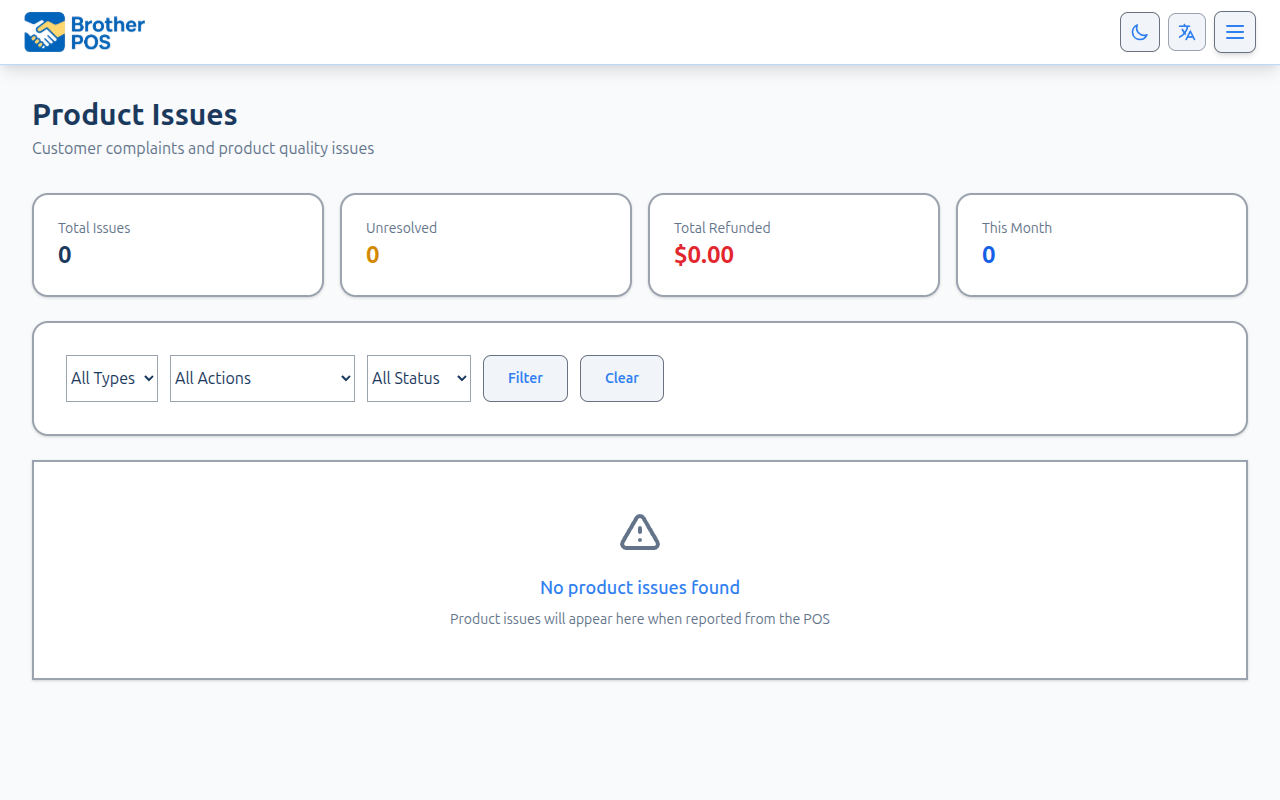
Admins and managers can open the Product Issues page. Click Reports in the top navigation, then the Product Issues card. You can also press Ctrl+K (or Cmd+K on a Mac) in the admin and search for Product Issues.
Summary Cards
At the top of the page:
- Total Issues
- Unresolved
- Total Refunded — the total amount on issues where the action was a refund
- This Month — issues reported in the last month
The Issue Table
Newest issues are shown first, 25 to a page.
| Column | Description |
|---|---|
| ID | The issue number. Click it to open the issue. |
| Date | When the issue was reported. |
| Product | The product, if one was selected. |
| Issue Type | Moldy, Defective, Expired, Damaged or Other. |
| Action Taken | Refund, Exchange, No Action or Courtesy Replacement. |
| Amount | The refund amount, if any. |
| Reported By | The staff member who reported it. |
| Status | Resolved or Unresolved. |
| Actions | View, and Resolve for unresolved issues. |
Filtering Issues
Use the dropdowns above the table, then click Filter. Click Clear to reset.
- Issue type — All Types, or one type.
- Action — All Actions, or one action.
- Status — All Status, Resolved or Unresolved.
With no filter set, every issue is shown.
Opening an Issue
Click an issue's ID or View to see:
- The product (linked to its product page), issue type, customer name and who reported it
- The full description
- The action taken, refund method and refund amount
- Any notes, and when it was resolved
Adding Notes
While an issue is unresolved, type in the notes box and click Save Notes. The notes box goes away once the issue is resolved.
Resolving an Issue
Click Resolve in the issue list, or Mark as Resolved at the top of the issue. The issue is marked resolved straight away, with the date and time recorded.
More detail: good habits
Best Practices
- Report early — Log the issue while the details are fresh.
- Be specific — "Bag split along the seal, product spilled" is more useful than "damaged".
- Pick the product — An issue with a product selected shows up against that product and takes the unit off stock for refunds and replacements.
- Add notes before resolving — Record the follow-up (supplier credit, replacement ordered) before you mark it resolved.
- Review trends — If the same product or supplier keeps coming up, deal with the root cause.
What's Next?
- Activity Logs — Each reported issue is recorded in the activity log.
- Audit Trail — View field-level change history.
- Managing Products — Navigate to the product catalog.
- Compliance — Handle compliance-related product issues.